How Lovable PDF edits a PDF without leaving a trace
A PDF isn't a word-processor file. It's a list of instructions that draw letters at exact positions, often with a font that holds only the letters already used. Here's how Lovable PDF changes it safely.
What happens when you edit a line
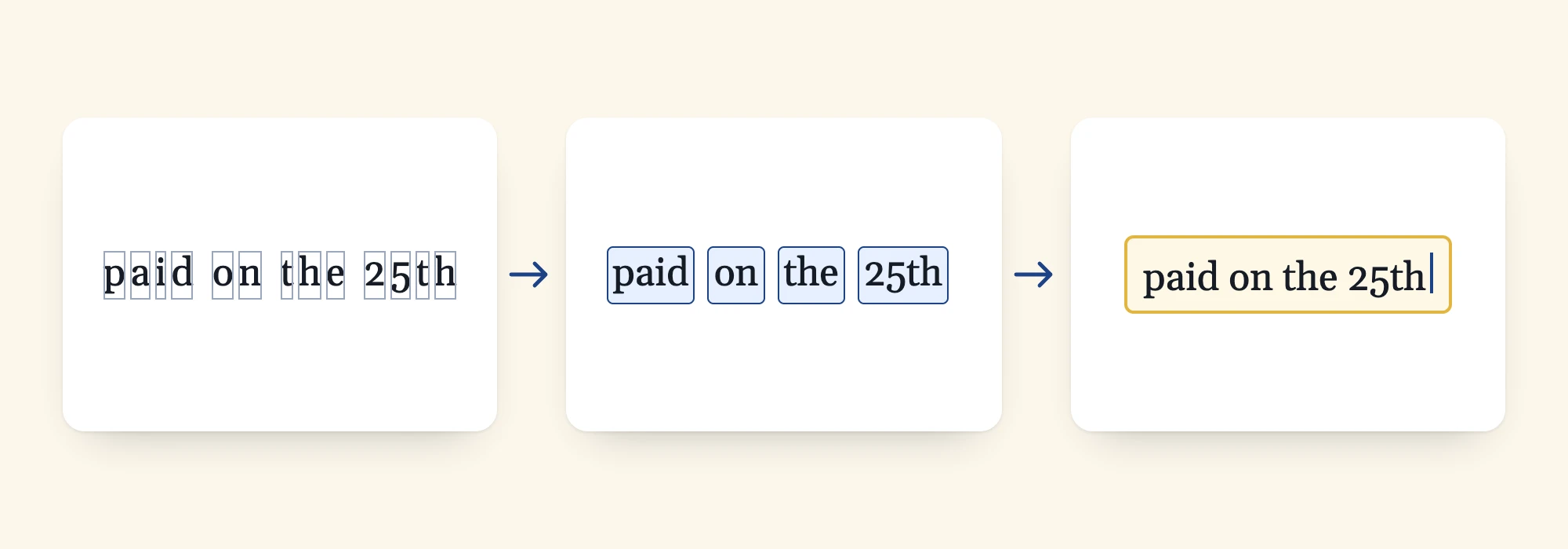
Find the line
Many PDFs draw every letter on its own. Lovable PDF regroups letters into words, lines and paragraphs, so you can tap a line and edit it like text.
Choose the font
Lovable PDF climbs a five-step ladder to keep the original look, and stops at the first step that works.
Remove, don't cover
The old letters are taken out of the page, not hidden under a box. Nobody can copy the old text from the edited file.
Write only the change
The edit is appended to the end of the file. The rest of the file, and every other pixel on the page, stays exactly as it was.
The font ladder
Most PDFs embed only the letters they use. When your edit needs new ones, Lovable PDF tries these in order.
Levels L3 and L4 always show a badge on the edited line, with the reason and your options: import the original font, download it, or accept.
L0ReuseEvery letter you typed is already in the embedded font.L1ExtendMissing letters are added to the embedded font from its own family.L2Same fontThe exact font is found on your device or bundled with LovablePdf.L3Metric twinA different font with identical letter widths, so nothing reflows.Badge shownL4Closest matchThe nearest available font, scaled to fit.Badge shown
Start here
Measured, not promised
Every change to the editing engine is checked against a library of real documents before it ships:
- real-world edits left the rest of the page untouched
- 968 of 968
- pixels changed outside the edit
- 0
- redaction leaks, checked four different ways
- 0
Engineering results, October 2026, on real files from many PDF producers, plus documents built to hide text in every corner a redaction has to reach.
See what works today